Imagine this: A potential customer asks your chatbot, "Do you offer a discount for non-profits?" Your bot, trying to be helpful, confidently replies, "Yes! We offer a 20% discount to all non-profit organizations."
The problem? You don’t have a non-profit discount.
This phenomenon is called an
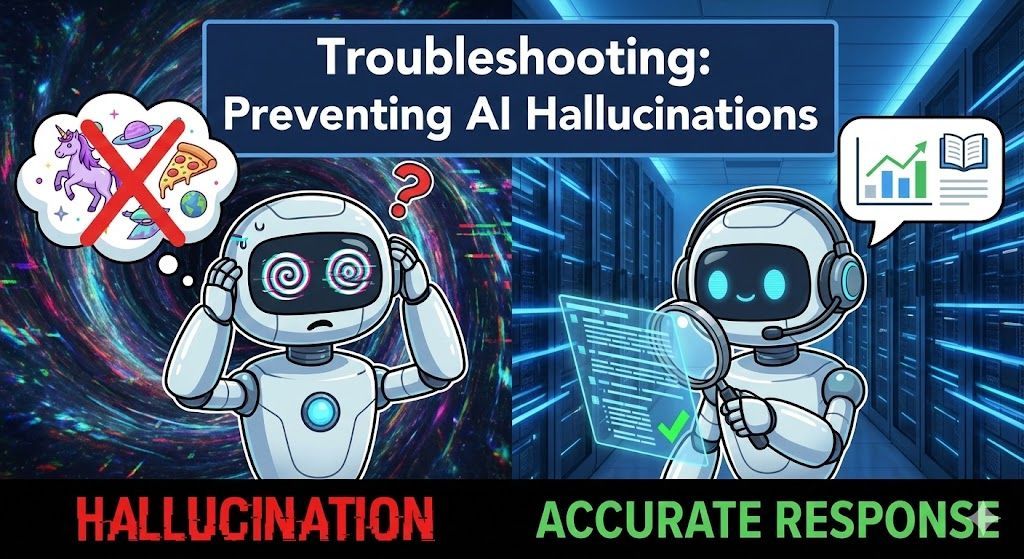
AI hallucination. It’s when a large language model (LLM) generates a response that sounds plausible and confident but is factually incorrect or completely fabricated.
For a business, a hallucinating AI isn't just a quirky technical glitch; it's a liability. It erodes customer trust, spreads misinformation, and can lead to awkward support interactions.
The good news is that hallucinations are largely preventable. By understanding why they happen and implementing the right controls, you can turn your creative AI into a reliable, fact-based support agent.
Here is your troubleshooting guide to preventing AI hallucinations.
The Root Cause: Why Do AIs Hallucinate?
To fix the problem, you first need to understand it.
At their core, LLMs like ChatGPT are not "knowledge bases" in the traditional sense. They are massive pattern-matching machines trained on the entire internet. When you ask a question, they aren't looking up a fact; they are predicting the next most likely series of words based on the patterns they've seen.
A hallucination occurs when the AI doesn't have specific information in its training data or its provided context. Instead of admitting ignorance, its training compels it to generate a helpful-sounding answer, leading it to "fill in the blanks" with incorrect information.
The Solution: Retrieval-Augmented Generation (RAG) The most effective way to stop this is to change how the AI gets its information. Instead of relying on its vast, general training, we force it to use a specific, controlled set of facts. This is called
Retrieval-Augmented Generation (RAG).
Think of it this way:
- A standard LLM is like a student taking a closed-book test. They have to rely on their memory, which might be faulty.
- A RAG-enabled bot (like the ones you build with Sky Enterprise) is like a student taking an
open-book test. Before answering, it first looks up the relevant information in a textbook you provide, and then crafts an answer based only on that text.
By controlling the "textbook," you control the accuracy.
4 Steps to Prevent Hallucinations
If your bot is hallucinating, go through this troubleshooting checklist to tighten its responses.
1. Audit Your Knowledge Base (Garbage In, Garbage Out)
Your AI is only as good as the data you give it. If your source documents contain outdated policies, conflicting information, or vague marketing fluff, your bot's answers will reflect that chaos.
- Be Specific: Don't just scrape your entire website. Upload specific, high-value documents like product manuals (PDFs), structured FAQs, and clear policy documents.
- Keep it Clean: Remove outdated documents immediately. If you changed your return policy last month, ensure the old version is deleted from the bot's knowledge base.
- Use Structured Data: For things like product specs or pricing, a structured CSV file is often better than a long, rambling Word doc. It helps the AI understand relationships between data points.
2. Train the Power of "I Don't Know"
The most important phrase an AI can learn is "I don't know." You must explicitly instruct your bot that it is better to admit ignorance than to make something up.
In your bot's system prompt or instructions, include a clear directive like this:
"You are a helpful support assistant for [Your Company]. Answer the user's question basing your response only on the provided context. If the answer is not present in the context blocks, truthfully state that you do not have that information and offer to connect them with a human agent. Do not make up answers."
This simple instruction act as a guardrail, preventing the AI from venturing outside the bounds of your provided facts.
3. Lower the "Temperature"
In AI terms, "temperature" is a setting that controls creativity and randomness.
- High Temperature (e.g., 0.8 - 1.0): The AI is more creative, varied, and prone to taking risks. Good for writing poems, bad for customer support.
- Low Temperature (e.g., 0.0 - 0.3): The AI is more deterministic, focused, and sticks closely to the most likely ("factual") path.
For a business chatbot where accuracy is paramount, you should always use a low temperature setting. Check your chatbot builder's settings and lower the temperature to
0.2 or 0.3 to make it act more like a strict librarian and less like a creative writer.
4. Create a Feedback Loop
AI isn't a "set it and forget it" tool. You need to monitor its performance to catch and fix hallucinations.
- Review Chat Logs: Regularly skim through conversations. Look for instances where users seemed confused or corrected the bot.
- Implement a "Thumbs Up/Down" System: Allow users to rate responses. A "thumbs down" is a prime candidate for investigation.
- Update the Knowledge Base: When you find a hallucination, ask yourself: "What piece of information was missing that caused this?" Then, create a new FAQ entry or update a document to provide that missing fact.
By treating accuracy as an ongoing process of curation and refinement, you can build an AI agent that is not only powerful but also deeply trustworthy.